Build better Google Shopping labels from the product data you already trust.

Turn Shopify product rules into all five Google custom-label slots. Preview every set and clear before anything is written.

Rule-powered custom labels

Move beyond a single yes-or-no rule
with ordered cases

Put the most specific outcome first, preview exact changes, then publish only when the result is right.

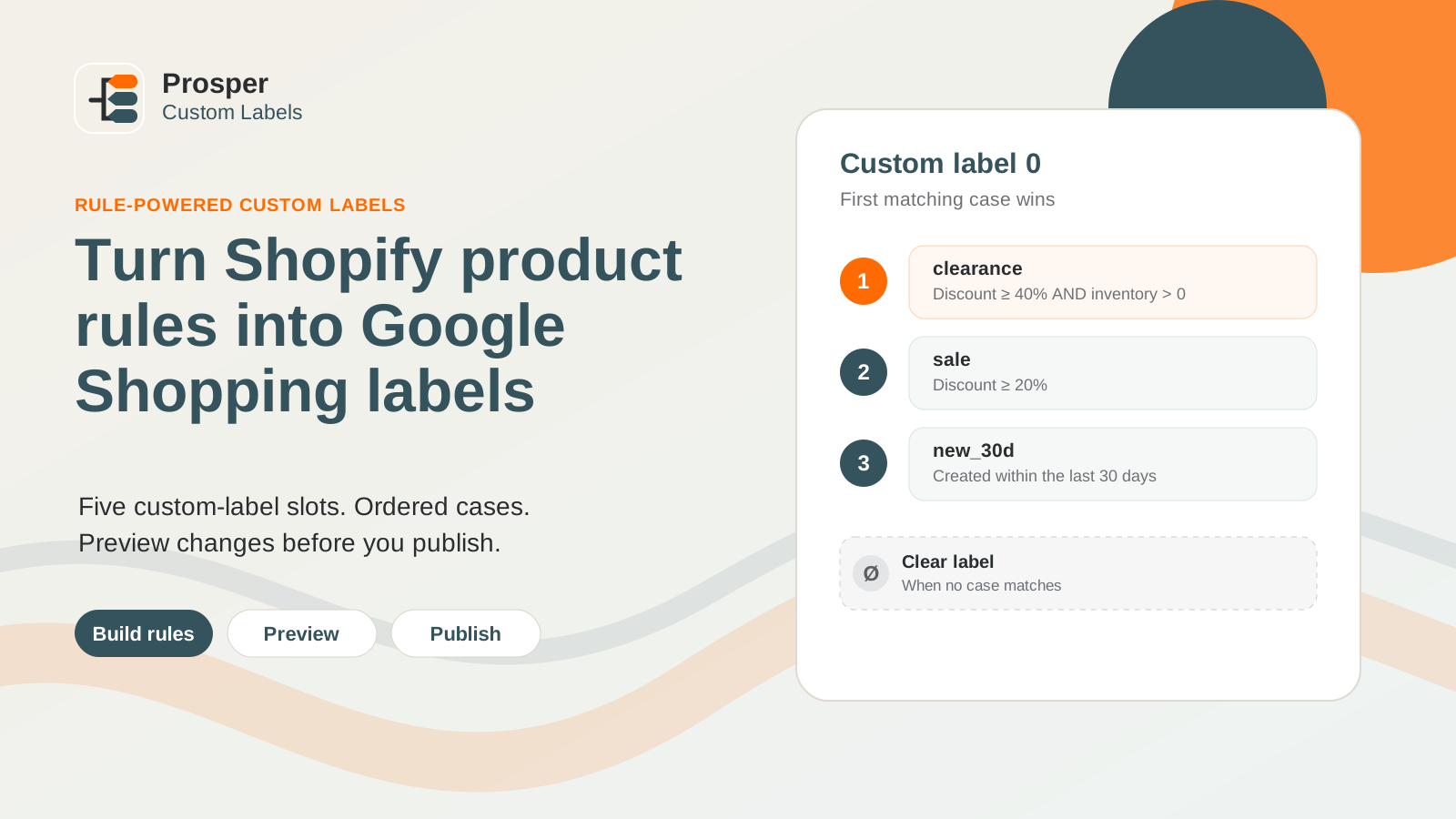
Ordered Shopify product rules assigning Google Shopping custom-label values.
01

First match wins

Clear precedence without overlapping labels

A 50%-off product receives clearance before the broader sale case. Products matching no case reach the fixed Clear outcome.

How it works

Five slots. Ordered decisions.
One clear preview.

Built to work alongside Shopify's official Google & YouTube app.

Build ordered cases

Combine nested groups across product dates, pricing, inventory, tags and metafields. Variant rules can match any, all or no variants.

Read the setup guide

Preview exact changes

Review set, replace, clear and unchanged counts with product samples before any metafield is written.

Read common questions

Publish deliberately

Update only changed values, then keep active slots current after product and inventory changes.

Ask about setup

Simple pricing

All five labels
on every plan

Seven-day trial with Growth limits. Billing stays on your Shopify invoice.

Starter · $15/mo

Up to 2,500 products with daily reconciliation, ordered cases, previews, and product/inventory updates.

Choose Starter

Growth · $35/mo

Up to 15,000 products with reconciliation every six hours and priority email support.

Choose Growth

Scale · $75/mo

Up to 75,000 products with hourly reconciliation and priority support for larger teams.

Choose Scale

Common questions

Keep the official Google connection

Prosper Custom Labels manages Shopify product metafields. It does not replace the feed or ask for a second Google login.

Does this replace the Google & YouTube app?

No. Keep Shopify's official Google & YouTube app installed and connected. Prosper Custom Labels manages product metafields for the five custom-label slots.

What happens when no rule matches?

An active automation clears that slot. Preview shows every planned clear before publishing, so an old label cannot silently linger.

What happens if I pause or uninstall?

Future writes stop. Existing product definitions and label values remain in Shopify.

Does the app connect to Google Ads or Merchant Center?

No. It does not request Google credentials, inspect campaigns, change bids, or guarantee product approval.

Is Prosper Custom Labels a Shopify app?

Yes. Prosper Custom Labels is a Shopify app that manages product metafields for Google Shopping custom-label slots 0–4. It works alongside Shopify's official Google & YouTube app rather than replacing it.

What are Google Shopping custom labels 0–4?

Google Shopping provides five custom-label slots-custom_label_0 through custom_label_4-that can be used to group products in product data. Prosper Custom Labels helps set and clear those values from Shopify product rules; it does not manage bids or guarantee product approval.

Can I preview label changes before they are written?

Yes. Preview shows planned set, replace, clear and unchanged results with product samples before publishing. You can review the outcome before Shopify product metafields are updated.

How does first-match logic work?

Rules are evaluated in order. The first matching case determines the label value, while products that match no case can reach the configured clear outcome. This makes precedence visible before publishing.

Stop maintaining Google custom labels
product by product.

Build the logic once, review the result, and let Shopify product changes keep the labels current.